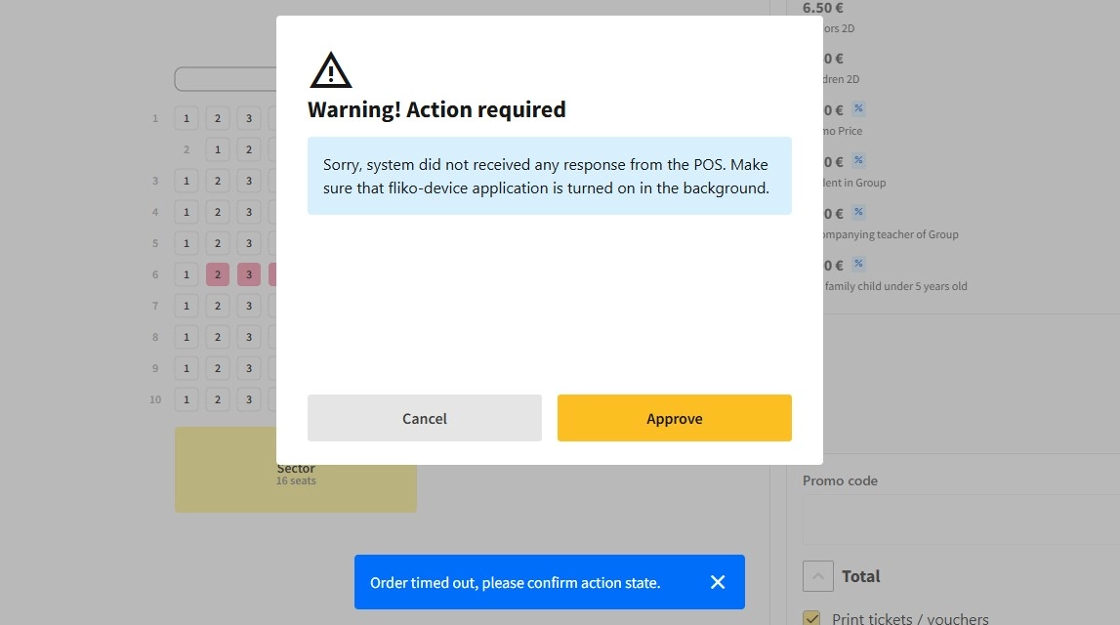
1.Occasionally, errors may occur during order processing, prompting the POS system to display an error message. These messages clearly describe the issue and provide options to either cancel or approve the order.
This occurs because the order may have successfully passed through the fiscal device despite a timeout or communication delay, resulting in the POS system not detecting the completion. In such cases, select Approve to proceed. However, if the fiscal device does not generate a receipt, the transaction has likely failed and should be canceled by selecting Cancel.