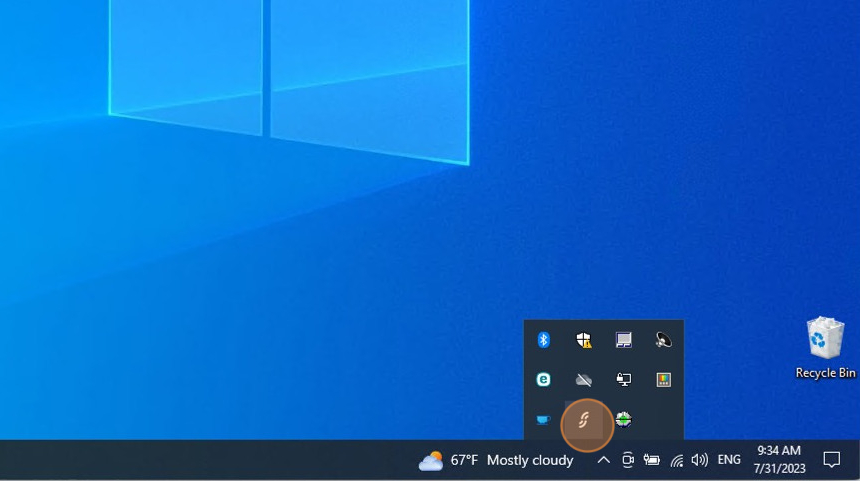
1.Open the Fliko Device app from the Windows toolbar.

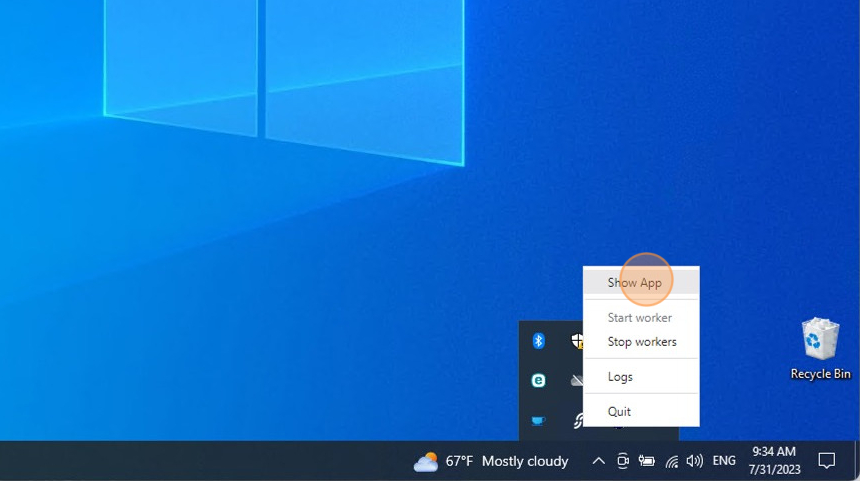
2.Right-click on the Fliko Device icon.
3.Click on Show App
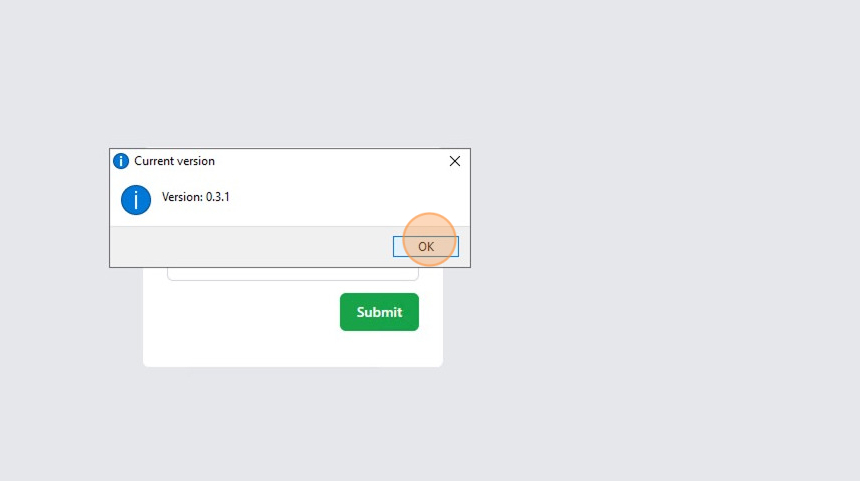
4.Check the current version:
- Click on Actions > Version.
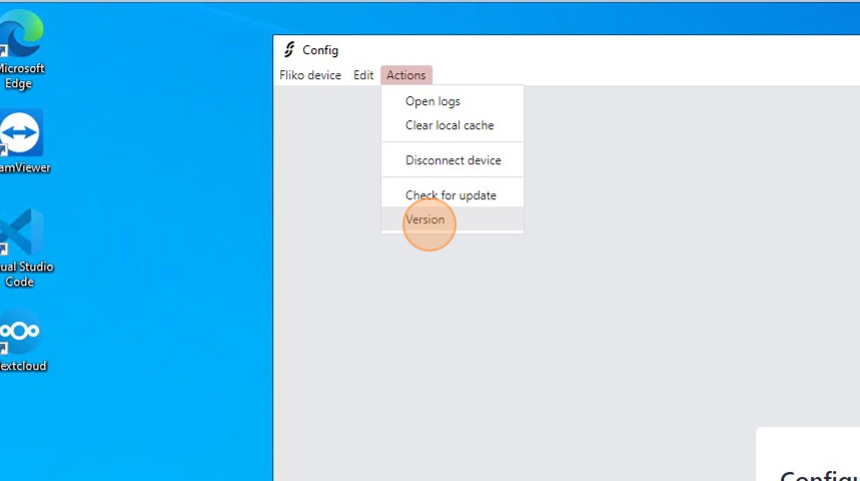
5.The app will display the current version.
6.Downloading an update:
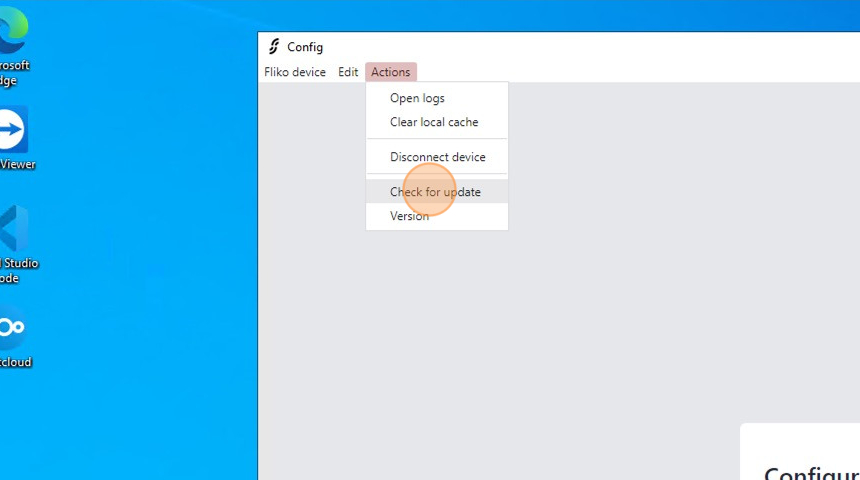
- Click on Actions > Check for update.
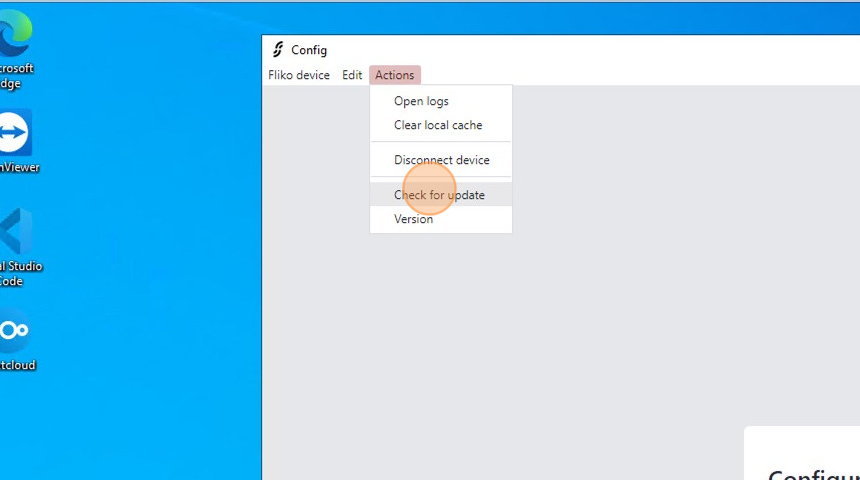
7.If an update is detected, it will be downloaded and installed automatically. It is recommended to wait until the update is complete.
- This can take up to 15 minutes (depending on internet and computer speed).

8.When the app finishes updating, it will ask to restart itself.

9.Check the current version again:
- Click on Actions > Version.
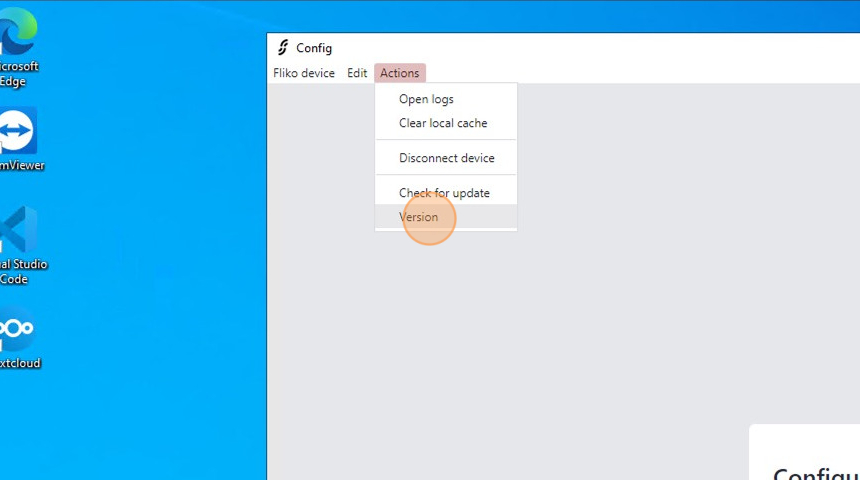
10.Verify if the current version has changed.
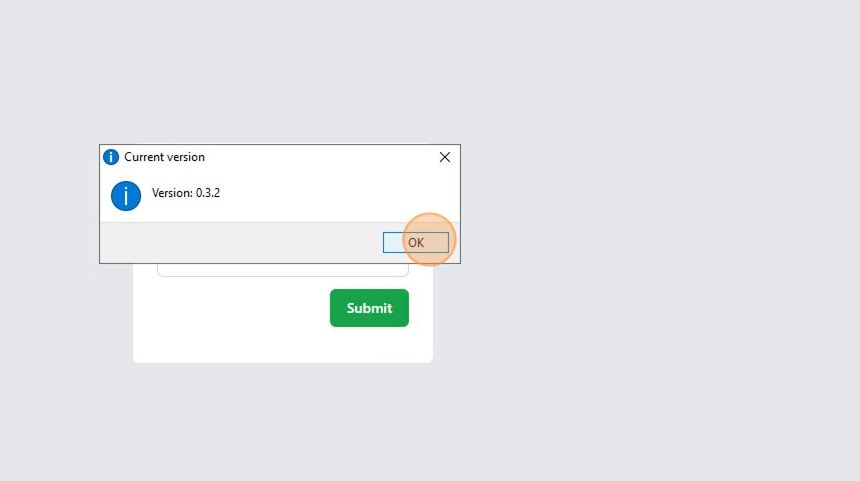
11.Check if there are no more updates:
Click on Actions > Check for update.
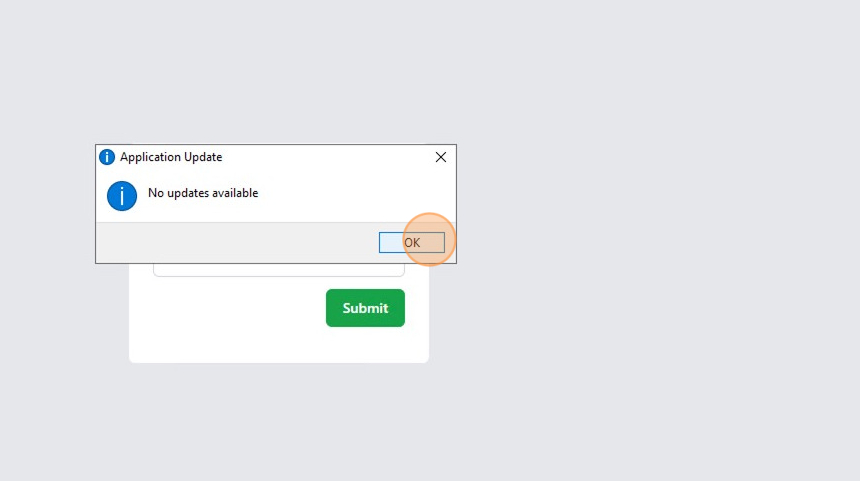
12.If there are no more updates, the app will display the message: No updates available.